Can you play WoW Forever on Steam Deck? Yes - beta players have it running - but it's not officially supported. World of Warcraft Forever is a PC and Mac game, and on the Steam Deck it runs through Proton, Valve's compatibility layer. The good news: Forever has built-in controller support. Here's how players install WoW Forever on Steam Deck, the controls, and the settings to use.
Does WoW Forever work on Steam Deck?
Players say it does. One beta tester wrote on Blizzard's forums that, installed through Battle.net under Proton, Forever “plays beautifully” and that the gamepad interface works great on the Deck. But Blizzard doesn't support it: ExpCarry notes that Blizzard's technical support treats Linux - which SteamOS is - as unsupported and can't help with Proton. If it breaks after a patch, you're on your own until the community finds a fix.
How to install WoW Forever on Steam Deck
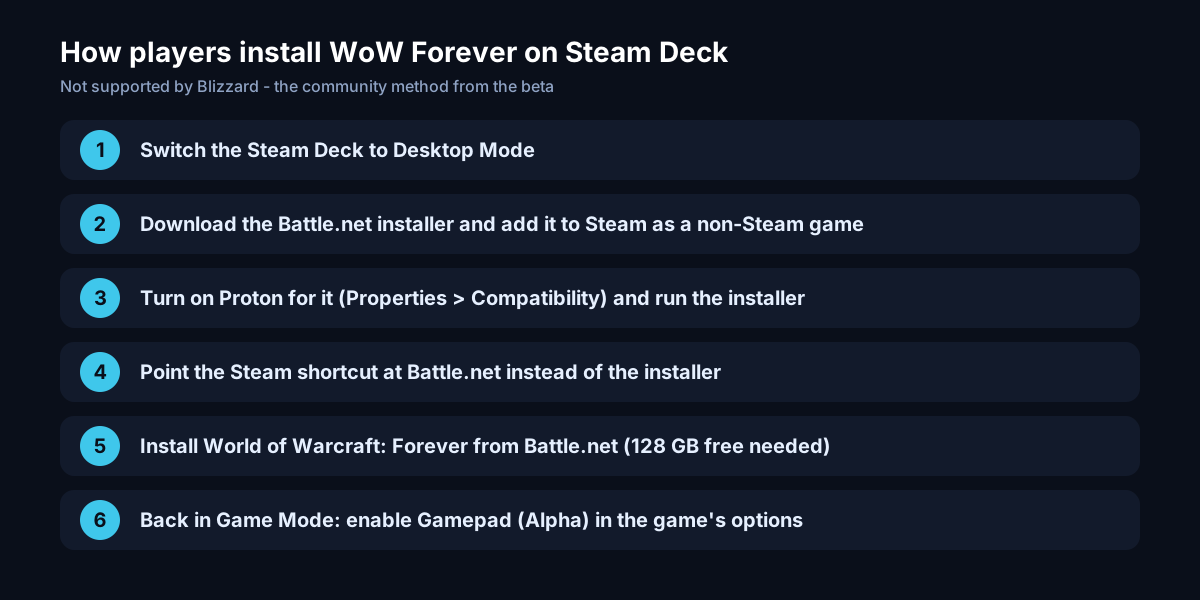
- 1. Switch the Steam Deck to Desktop Mode.
- 2. Download the Battle.net installer and add it to Steam as a non-Steam game.
- 3. In its Properties, under Compatibility, turn on Proton, then run the installer.
- 4. Change the Steam shortcut so it points at Battle.net instead of the installer.
- 5. Log in and install World of Warcraft: Forever (you need a subscription or Game Time).
- 6. Go back to Game Mode, launch Battle.net from your library and start Forever.
That's the method a beta player described on Blizzard's forums. Another option is streaming: install Forever on a PC or Mac and play it on the Deck with Steam Remote Play.
WoW Forever controller support on Steam Deck
Forever has native controller support - Blizzard showed it at BlizzCon (Vice). In the game's options it's called Gamepad (Alpha), ExpCarry reports: turn it on there and the game uses the Deck's buttons directly, with options like Fixed Party Targeting on the D-pad and a Compact Action Bar. Keep the trackpads set as a mouse for menus, and use the on-screen keyboard (Steam + X) for chat.
Best settings for WoW Forever on Steam Deck
The Steam Deck is a low-power device, and Forever's new lighting is much heavier than old Classic. Beta testers found that "Secondary Lighting" and ambient occlusion (SSAO) cost the most, PC Games Hardware reports - turn those down first, then use a lower resolution scale or a 40 FPS limit to save battery. Expect to play on low to medium settings.