Looking for WoW Forever addons on CurseForge? Most of the big names already have a World of Warcraft Forever version - Questie, Details!, Deadly Boss Mods, Auctionator and more - but there's a catch: your WoW Classic addons won't load in Forever. Here are the best WoW Forever addons for launch, which ones work, and how to install them from CurseForge.
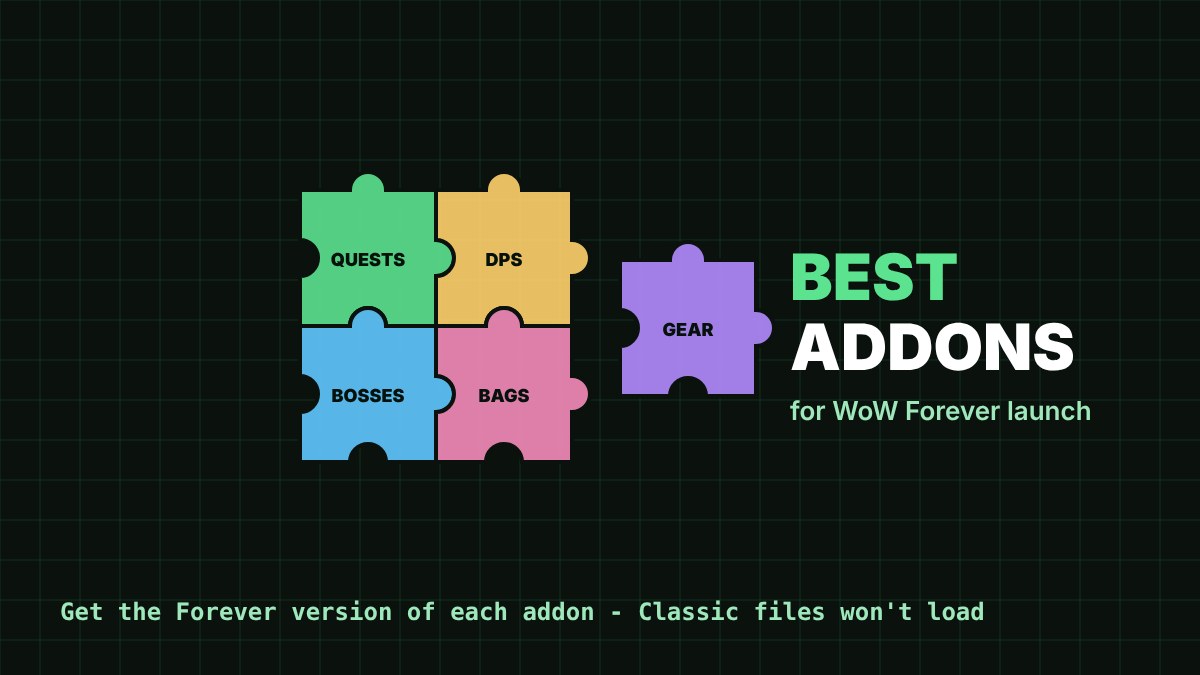
Do Classic addons work in WoW Forever?
No. Forever runs on the modern WoW interface, not Classic's. A Blizzard representative explained, as reported by EndgameTools:
WoW Forever shares Mainline WoW's UI architecture, including the vast majority of APIs available in 12.1.5.— Blizzard representative (via EndgameTools)
So every addon needs its own Forever version. On CurseForge, pick the file for game version 1.60.1, or the one with "forever" in its name.
Best WoW Forever addons for launch
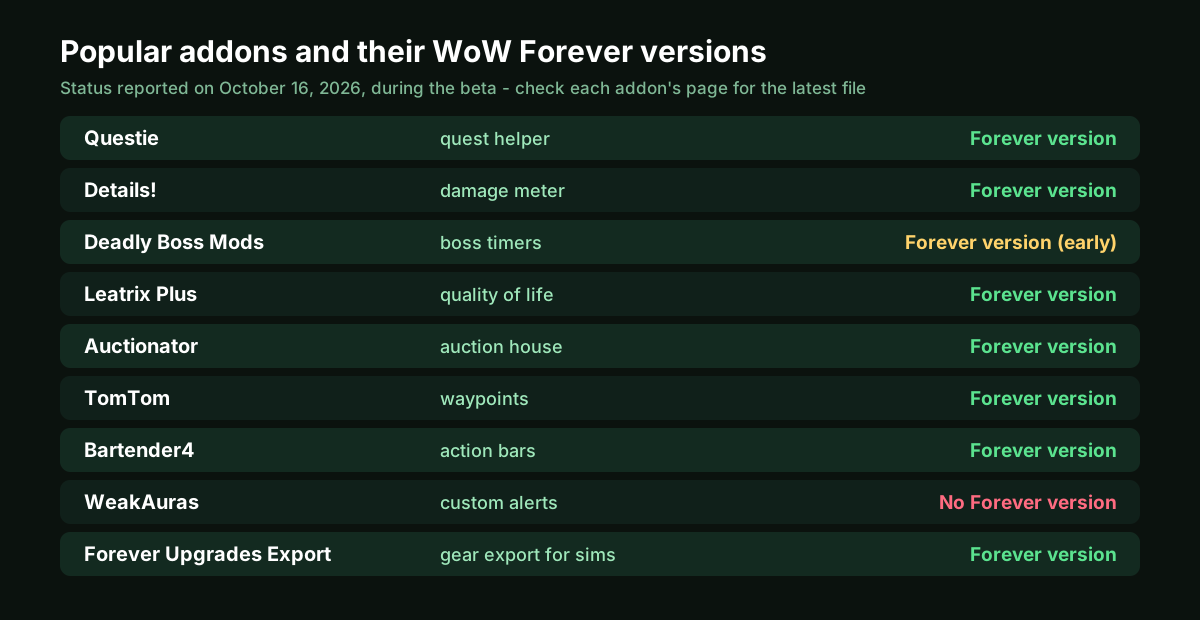
- Questie (quest helper): shows quest givers, objectives and hand-ins on your map. Has had an official Forever version since September 25.
- Details! (damage meter): see your DPS, healing and threat. Forever version available.
- Deadly Boss Mods (boss timers): lists Forever support - but the early files were "Forever prep", so check timers in the new dungeons.
- Auctionator (auction house): faster searching and posting. Forever version available.
- TomTom (waypoints): arrows to coordinates - handy with the /way waypoints on our quest guides.
- Leatrix Plus (quality of life): dozens of small fixes, with separate "-forever" files.
- Bartender4 (action bars): Forever version available.
Statuses are from EndgameTools, last checked on October 16 during the beta - check each addon's CurseForge page for the latest file before launch.
Is WeakAuras working in WoW Forever?
Not yet: WeakAuras had no Forever version as of October 16, per EndgameTools. Forever uses retail's newer combat rules, under which addons can show combat information but can't use it to make decisions - which hits alert and rotation addons like WeakAuras hardest. Quest, map, bag, auction and action bar addons are much easier to port.
Forever Upgrades Export: see your upgrades
Our own addon, Forever Upgrades Export on CurseForge, reads your character in game - gear, enchants, talents and character sheet - and gives you a text to copy. Paste it into Find Upgrades to see the best upgrade for every slot as "+X DPS", or into Sim DPS for a full simulation. The button sits under your character window, and our addon page has the install steps.
How to install WoW Forever addons from CurseForge
- With the CurseForge app: if the app lists your WoW Forever game folder, search for the addon and install its Forever file there; if not, install by hand.
- By hand: download the Forever file, unzip it, and put the addon's folder in Interface\AddOns inside your Forever game folder (in the beta this was the _classic_beta_ folder).
- In game: click AddOns on the character select screen to check everything is enabled. If an addon says it's out of date, type
/dump select(4, GetBuildInfo())to see the version your game expects.